HA Parcel Card
Track parcels from all 93 carriers of the ha-parcel-integrations family — PostNL, DHL, DPD, UPS, FedEx, USPS, GLS, bpost, La Poste, Evri and many more — in a single Home Assistant card.
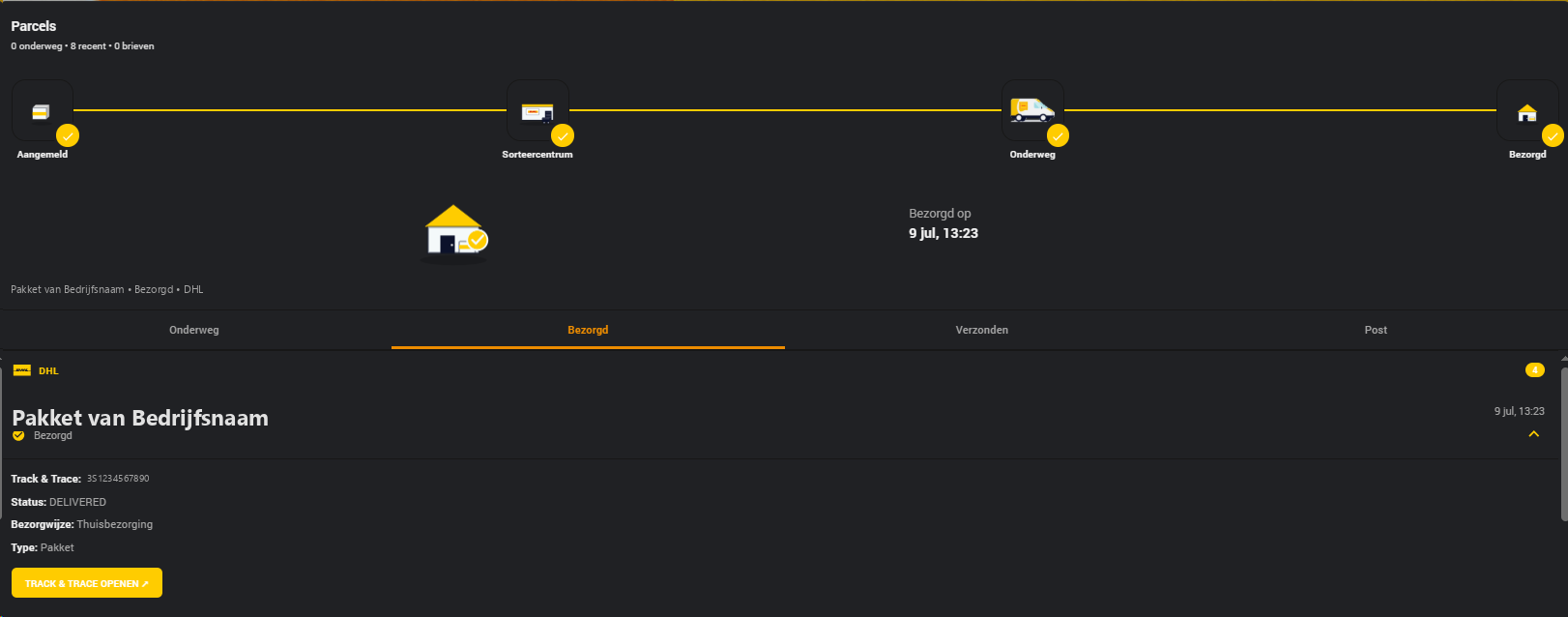
Automatic sensor detection, animated banners, a delivery tracker with shared SVG scenes for every carrier (four steps, or five via a pickup point), letterbox mail with scan images, a carrier overview popup, and a complete visual editor — no YAML required.
-
 Multi-carrier
Any of the 93 supported carriers side by side. Add the same carrier multiple times for multiple accounts or hubs.
-
 Auto sensor detection
Enter your account name — the card finds your sensors and fills in all entity IDs automatically, for both known naming schemes.
-
 Carrier overview popup
Click a carrier's logo in the combo banner to see every parcel and letter for that carrier across all tabs, expandable in place.
-
 Add a parcel from the card
Every carrier whose integration has a
track_parcelservice gets a "Add parcel" control that registers a tracking number directly. -
 Media browser
Browse the HA media library from the editor to pick logos, banners and placeholder images.
-
 Letterbox mail
PostNL letters with scan images, split into Still to be delivered and Delivered sections.
Quick start
Requires ha-postnl ≥ 4.0.0 — see Installation.
type: custom:ha-parcel-card
title: Parcels
carriers:
- type: dhl
user: my_account
- type: dpd
user: my_account
- type: vinted_go
user: my_account
- type: gls
user: "1234ab"
GLS has no account
GLS tracks parcels by tracking number and postal code rather than a login — user maps to the hub's postal code.
Vinted Go is account-based
Vinted Go logs in with an e-mail address and a verification link (no password, no tracking-code entry) — like PostNL/DHL/DPD it has no track_parcel service, so it doesn't get the card's "Add parcel" control. Unlike every account-less carrier below, it tracks both incoming and outgoing parcels.
type: custom:ha-parcel-card
title: Parcels
carriers:
- type: dragonfly
- type: trunkrs
user: "1234ab"
- type: cainiao
- type: hermes
- type: packeta
- type: correos
These six (plus GLS) are a sample of the account-less carriers — register a parcel with the "Add parcel" control on the card itself instead of logging into an account. See the "Every carrier" tab for the complete list, and Add parcel support for how it works.
type: custom:ha-parcel-card
title: Parcels
carriers:
  - type: postnl
    user: my_account
- type: dhl
user: my_account
- type: dpd
user: my_account
- type: vinted_go
user: my_account
- type: gls
user: "1234ab"
- type: dragonfly
- type: trunkrs
user: "1234ab"
- type: cainiao
- type: hermes
- type: packeta
- type: correos
- type: postnord
- type: sameday
- type: swiss_post
- type: planzer
- type: austrian_post
- type: helthjem
- type: dynalogic
- type: budbee
- type: nova_post
- type: delhivery
- type: sunyou
Or skip the YAML entirely — add the card via the dashboard UI and it auto-detects every installed carrier integration, pre-filling a fully configured entry for each one it finds.
Supported carriers
All carriers below are part of the ha-parcel-integrations family — Home Assistant integrations that publish a shared canonical parcel format, which is what lets one card support all of them with the same logic.
The full list — every carrier, its integration, its card type, and whether it has a Sent tab, letters and the "Add parcel" control — is under Carrier types.
Part of HKI Elements
This card is based on jimz011/hki-elements — the original PostNL card from the HKI project, extended with multi-carrier support, a carrier overview popup and letterbox mail.